Introduction

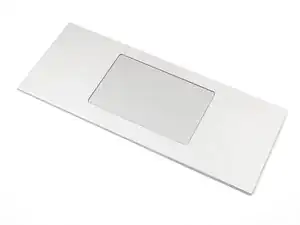
Follow this guide to remove and replace the Touchpad Module in your Framework Laptop 16.

  1. n3dlIsBN2lPrCToZ
    n3dlIsBN2lPrCToZ
    XXZZ3WiGghUFLQBb
    dKJ3sQcj6bd4RYai
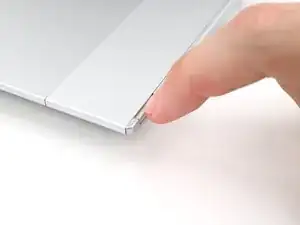
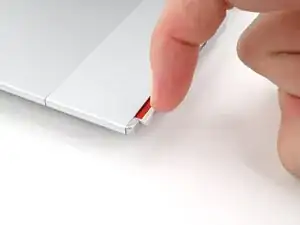
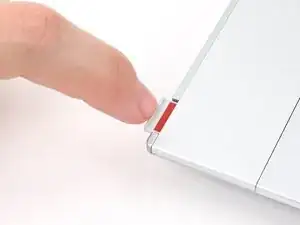
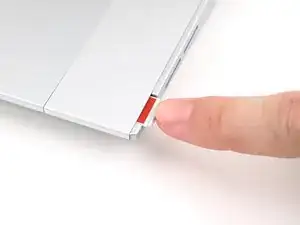
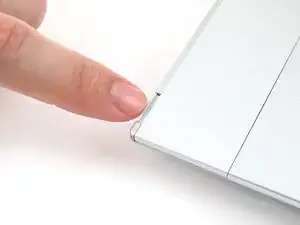
    • Use your fingernail to pull out the two Input Module latches and unlock them.

    • The latch will show red if it's unlocked.

  2. UdvOwfAwUSJCPcx4
    UdvOwfAwUSJCPcx4
    1Vunb2PRgeCo52JM
    Ixvsqgp1HwSZIHB1
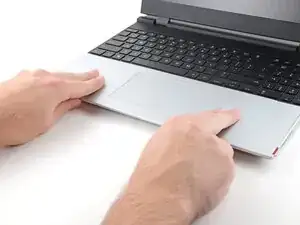
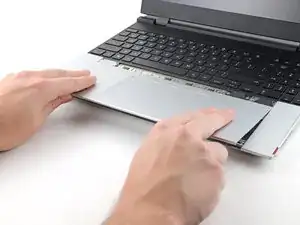
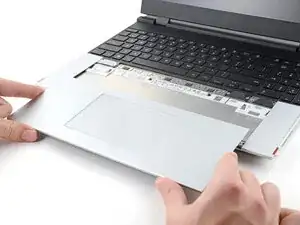
    • Use your fingers to slide the Touchpad Module toward the bottom edge of the laptop and disconnect it.

    • If you're having trouble, check if the Input Module latches are properly unlocked.

    • Lift the Touchpad Module and remove it.

  3. AlcBhGlwTnNxxHnq
    AlcBhGlwTnNxxHnq
    q3OvBwakSeVVkeDW
    • Place the Touchpad Module flat on its cutout so its clips are properly aligned.

    • Press the Touchpad Module down and slide it into place so it lines up evenly with the bottom edge of the laptop.

  4. ifPjNZMCDREGGaRD
    ifPjNZMCDREGGaRD
    gOq2njmrPyR6kNLv
    4Bx5iAXhqxqHSWer
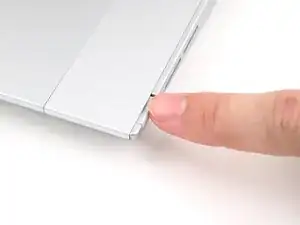
    • Push the Input Module latches back into place to lock them.

Conclusion

If you need help, contact Framework support.

Alex Diaz-Kokaisl

Member since: 16/01/22

215075 Reputation

0 comments