Introduction

  1. RJ2ggVKt2GSbTGga
    RJ2ggVKt2GSbTGga
    rd5B4UV4mJHDjkOi
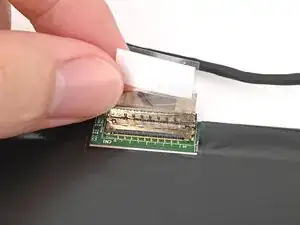
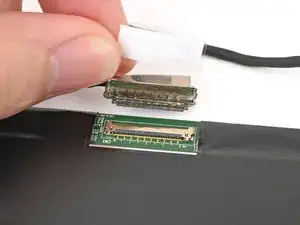
    • Grip the display cable where it meets the connector head.

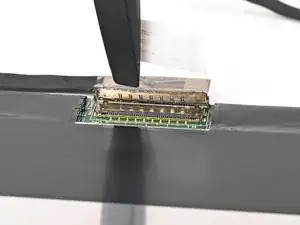
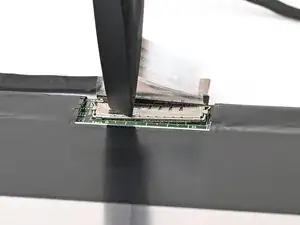
    • Slide the display cable connector straight into its socket.

  2. SdintEfZGfMJZ2BJ
    SdintEfZGfMJZ2BJ
    A3j4ndSgrZVAWIyH
    ejlMk5hdA3xRKlYD
    • Push the metal locking tab down over the display cable connector until it snaps into place.

Conclusion

To reassemble your device, follow these instructions in reverse order.

Alex Diaz-Kokaisl

Member since: 16/01/22

215075 Reputation

0 comments